Contacts
Overview
This feature adds a contacts directory to ConnieRTC. The contacts directory consists of recent contacts, personal contacts, and shared contacts.
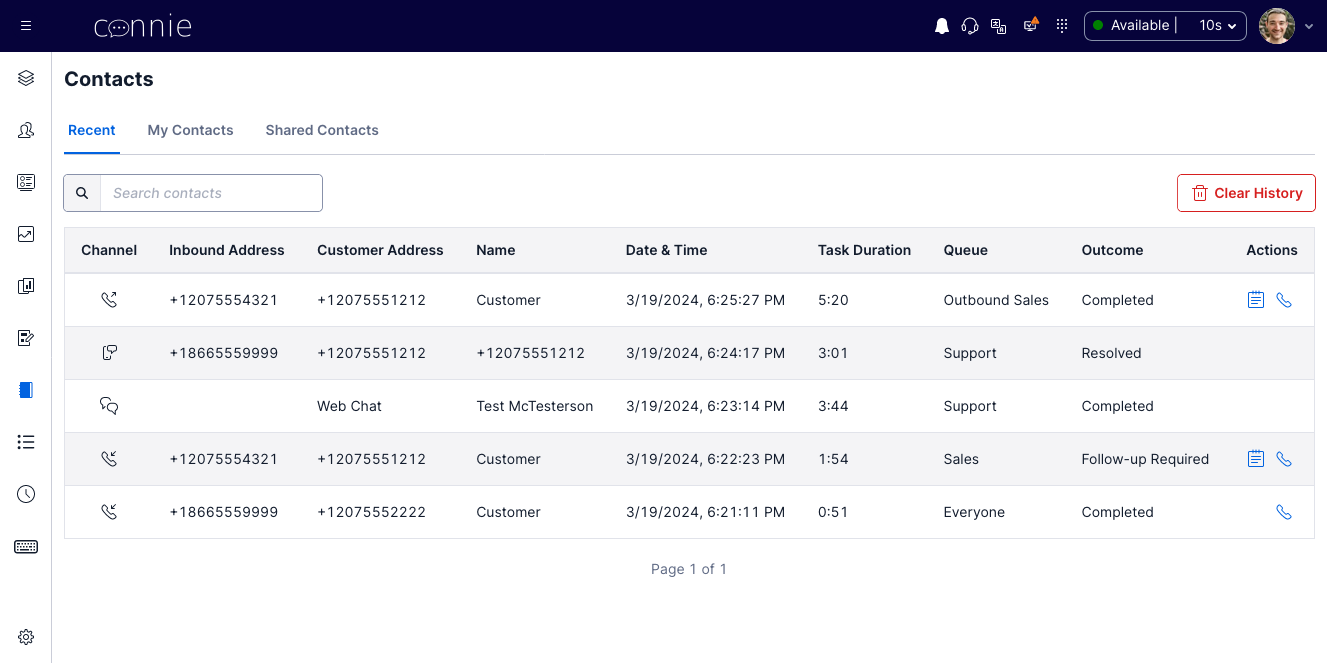
- Recent contacts are populated based on completed voice and chat tasks, and allow for an agent to easily redial that contact. Recents are persisted for 14 days by default, and agents can choose to clear their recents.
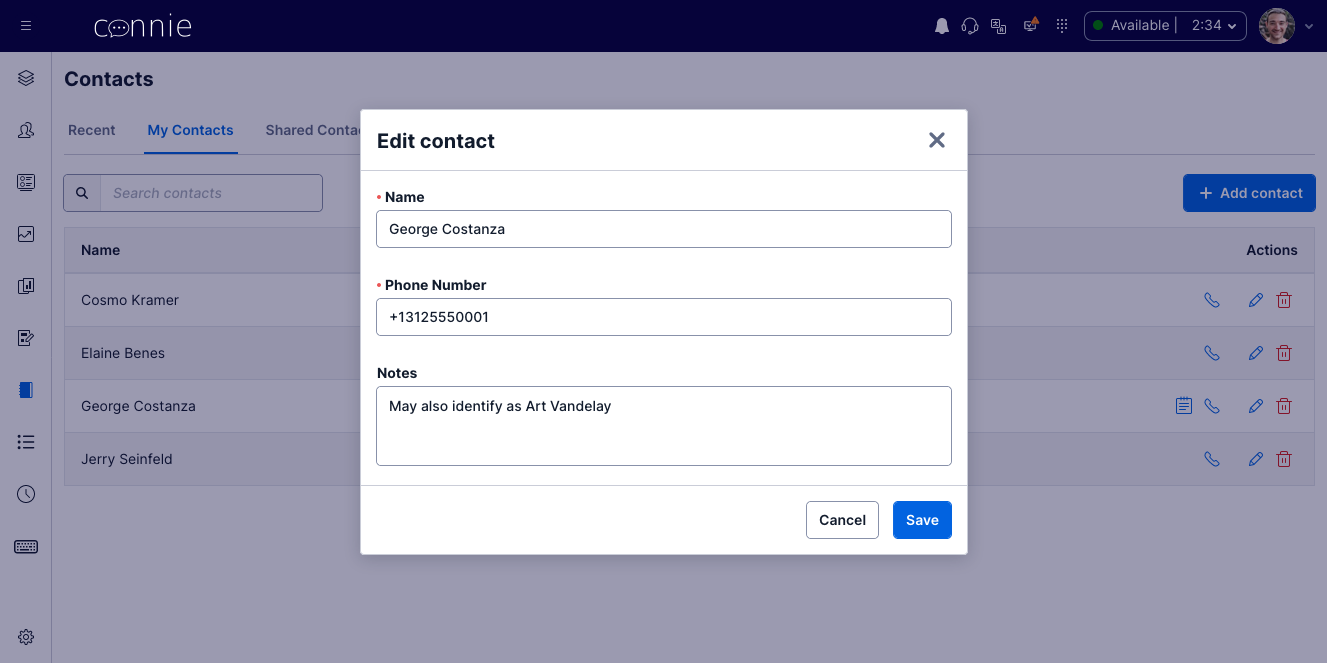
- Personal contacts are contacts which are created by the worker, and are specific to that worker. The worker can add, modify, or delete any of their personal contacts.
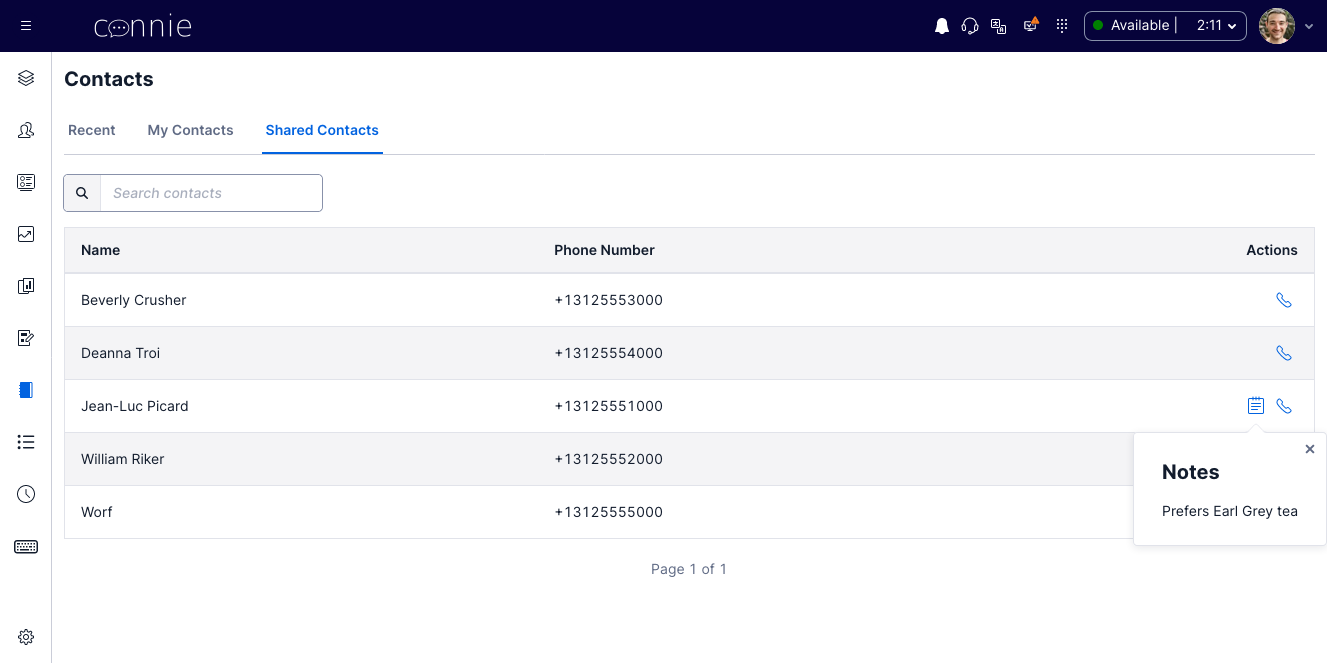
- Shared contacts are contacts which are visible to all workers. By default, only workers with the admin or supervisor role can add, modify, or delete shared contacts. However, these can be optionally made editable for agents as well.
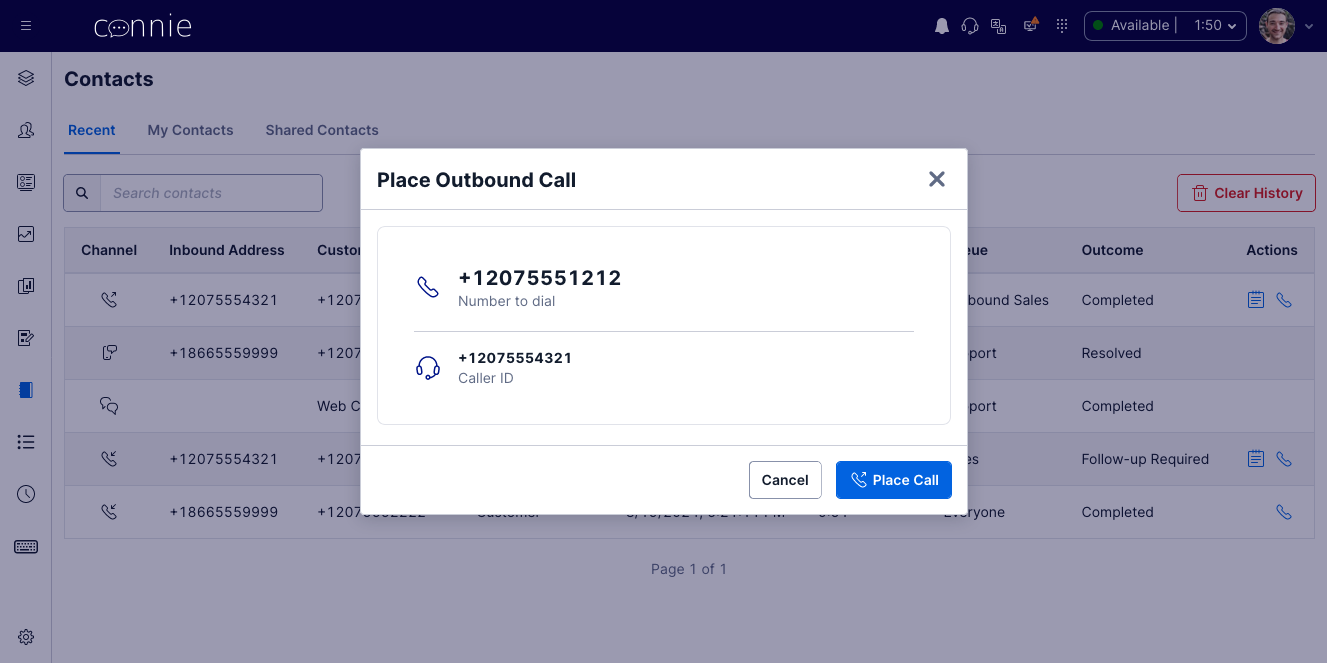
Contacts can be viewed, managed, and dialed using the contacts view added to ConnieRTC. In addition, a "Call Contact" section is added to the outbound dialer panel, allowing easy dialing of contacts from any view. Also, if the custom-transfer-directory feature is enabled, contacts are available in the transfer panel for cold or warm transfer, and shared contacts can be configured to disable cold and/or warm transfer capability.
This page is the configuration reference for the feature. It does not describe the feature's most operationally important consequence, so it is stated here:
A contact's email field is what makes it a Hand off or Refer out target. The
Connie Task Sender's Hand off and Refer out choices send
a voicemail, fax, web form or email task by email, and they only offer contacts that carry an
email address (Hand off: addresses at the agent's own organization; Refer out: everyone else). A
contact with no email is still fully callable and transferable — it simply never appears in those
lists, and neither the agent nor the administrator is told why.
A shared directory with zero emailed contacts means Refer out is dark on that account even though the feature is switched on.
Administrator guidance (how to build and maintain that list, including the spreadsheet import): Shared Contacts & External Referrals · What agents see: Connie Task Sender · Handing Off & Referring Out
User experience
Recent contacts:
Calling a contact:
Viewing contacts:
Editing contacts:
Configuration
The contacts feature has several settings:
enabled- Set totrueto enable the featureenable_recents- Set totrueto enable the recent contacts functionalityenable_personal- Set totrueto enable the personal contacts directoryenable_shared- Set totrueto enable the shared contacts directoryrecent_days_to_keep- Number of days to retain recent contactsshared_agent_editable- Whether agents can edit the shared contacts directorypage_size- Number of contacts to display per page
"contacts": {
  "enabled": false,
  "enable_recents": true,
  "enable_personal": true,
  "enable_shared": true,
  "recent_days_to_keep": 14,
  "shared_agent_editable": false,
  "page_size": 10
}
How does it work?
The contacts view is added to the Connie agent workspace, and a new link to it is added to the navigation menu.
If the recent contacts functionality is enabled, for every task that is completed, the task and call data is added to that worker's recent-contacts directory (Contacts_Recent_(worker ID)). Clicking on the phone icon in the actions column for a recent contact starts an outbound call to that contact. This button is only visible for completed calls (voice tasks).
The shared contacts directory is stored per account (Contacts_(account ID)), and personal contact directories are stored per worker (Contacts_(worker ID)). Contact data is loaded into the agent workspace in real time, and any updates are pushed automatically. This allows other features, such as custom-transfer-directory, to easily tap in to the contacts directories.