Agent Send to Voicemail
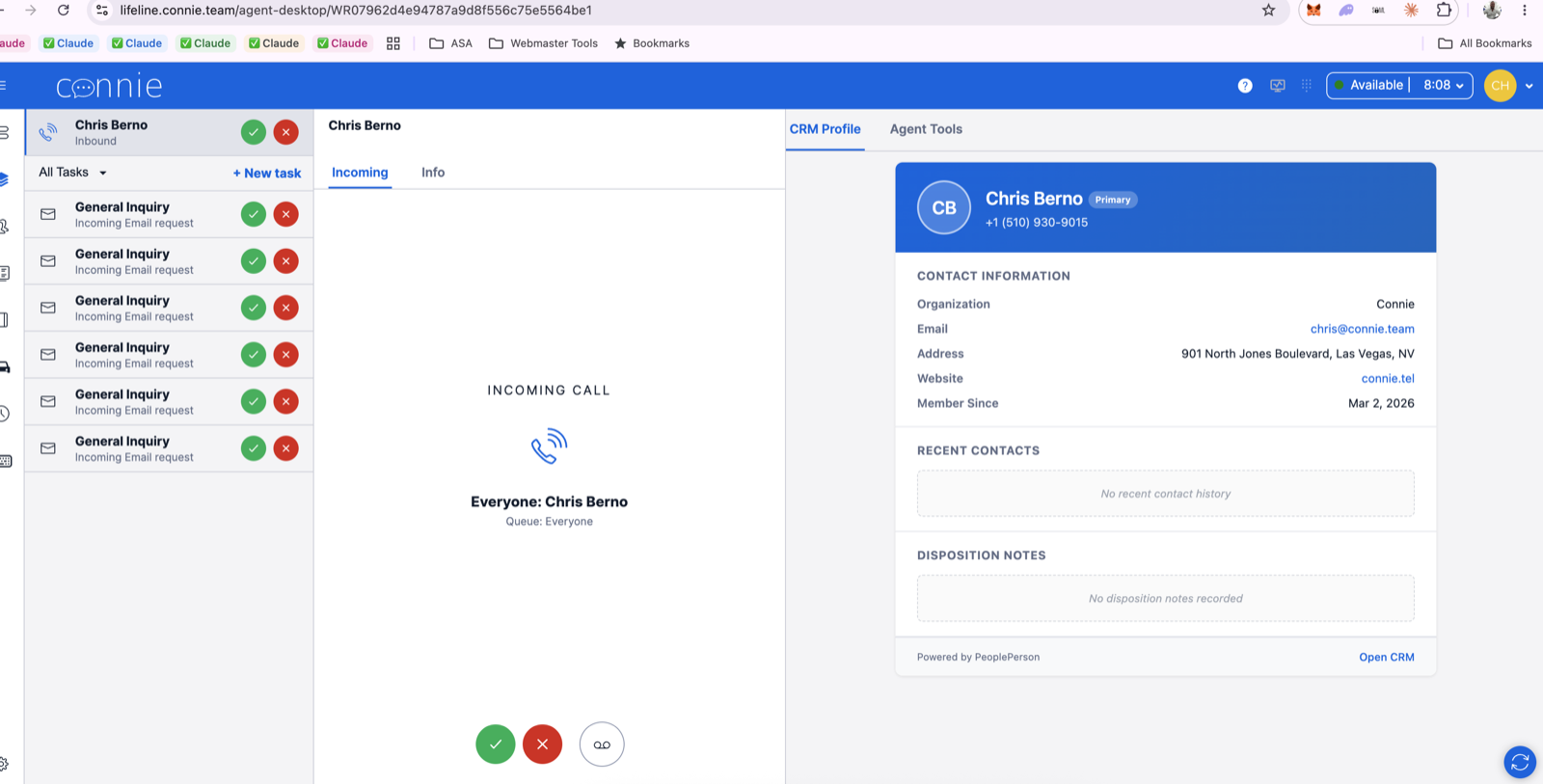
This feature gives your agents a third button on a ringing voice call: alongside accept and decline, they can send the caller straight to your voicemail greeting.
It ships switched off. Nothing changes for your team until you ask for it to be turned on.
What your agents get
A caller rings. Nobody can take it — the team is busy, or it's a one-person shift. Rather than leaving that person on hold, an agent sends them to voicemail, and the message comes back as a voicemail task in the queue with the caller's details attached.
This is what appears on a ringing call once it's on — the round voicemail icon, to the right of the green accept and red decline buttons your agents already know:
Click any image on this page to open it full size.
Your agents' guide to using it: Sending a Caller to Voicemail.
Decide this before you turn it on
One agent clicking it takes the caller out of the queue — the ringing task disappears for everyone, and nobody else can answer it.
For a small program where the whole team is two or three people, that is usually exactly what you want. For a larger queue where you'd rather a call kept hunting for a free agent, think carefully: your agents already have the decline button, which passes a call along without ending it.
ThreadConnect asks the agent to confirm before anything happens, and the confirmation says plainly that the call ends for the team. That wording is deliberate and shouldn't be softened — it is what stops a mis-click becoming a lost caller.
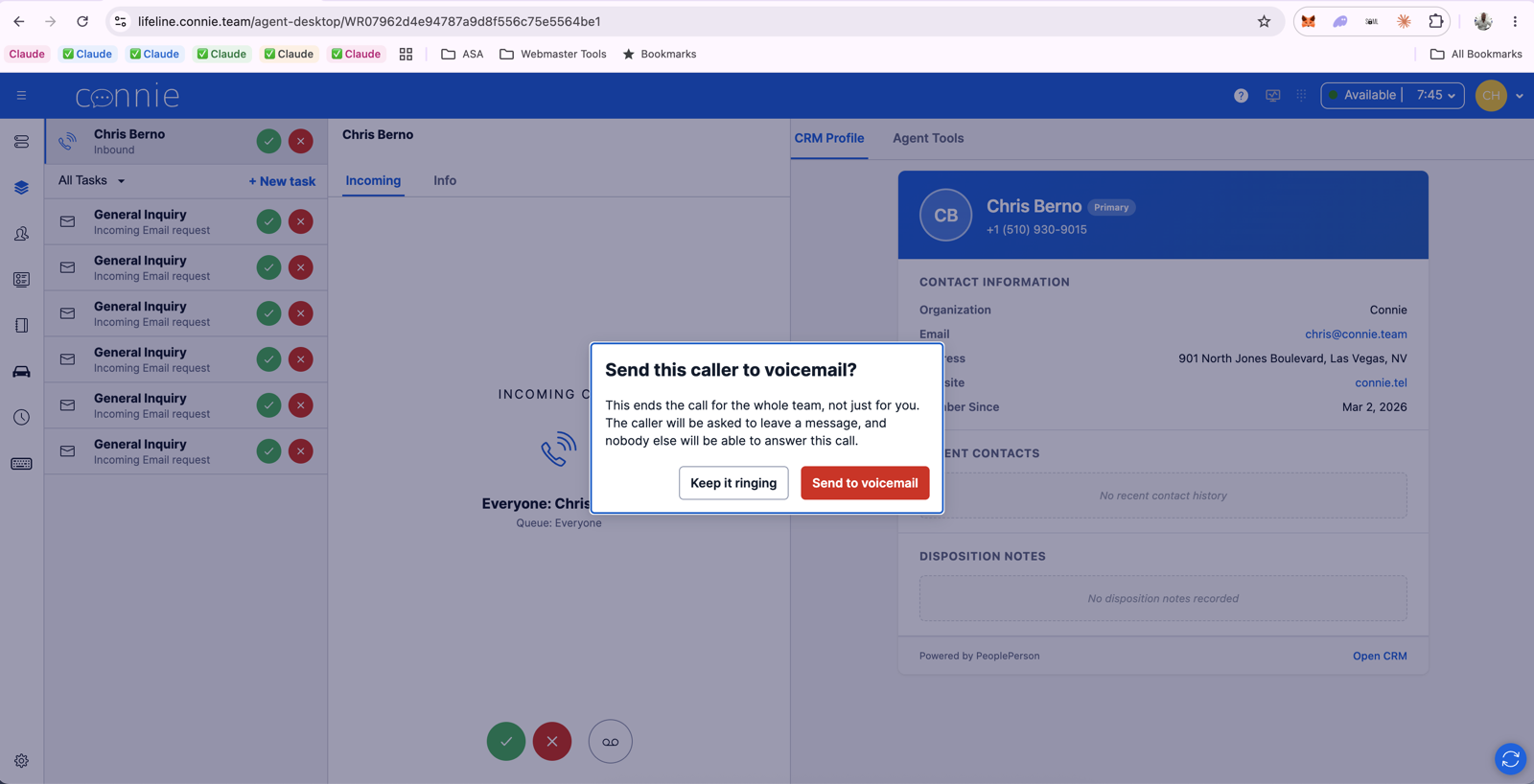
Nothing has happened at this point. Keep it ringing backs out and the call carries on hunting for an agent.
What it does to your reporting
A caller sent to voicemail by an agent is recorded as Sent to voicemail by agent. It is not
counted as an abandoned call.
This matters if you report to funders. An abandoned call says nobody answered and the caller gave up. This was a decision your team made to serve the caller better, and the resulting voicemail is linked back to the original call, so the two read as one story.
Who can use it
By default, every agent. If you'd rather restrict it to supervisors or a particular role, that can be narrowed for your organization — it's a settings change, not a rebuild. Contact your ThreadConnect account representative or the ThreadConnect Care Team.
What has to be true first
Send to Voicemail rides your existing voicemail setup — it doesn't create one. Before it can be turned on, your organization needs:
| Requirement | Why |
|---|---|
| A voicemail experience already working on your voice line | The feature hands the caller to the greeting you already have. See Choose Your Voice Experience. |
| Callers routed through the queue/wait experience | The button acts on a caller waiting in a queue. |
| A recent ThreadConnect release on your account | Older accounts may need an update first; your account representative will confirm. |
If you're not sure whether your organization meets these, ask — it takes a few minutes to check and it's better answered before your team is told about the feature.
Turning it on
Contact your ThreadConnect account representative or the ThreadConnect Care Team and ask for Agent Send to Voicemail to be enabled.
Tell us:
- Which programs or departments should have it — it can be enabled for your whole organization or specific queues.
- Whether every agent should have it, or only certain roles.
- When you want it live. We schedule these during your business hours, with someone available, so any surprise is caught while your team is at their desks rather than the next morning.
We'll confirm when it's active, and what your agents will see.
A new button appearing next to accept and decline is the kind of thing people notice mid-call. A short note beforehand — what it is, and that it ends the call for everyone — saves a confused afternoon. We can supply the wording.
After it's on
- Nothing else changes. Your existing voicemail greeting, routing, transcription and email notifications all behave exactly as before.
- It can be switched off instantly if it isn't working for your team — no deploy, no downtime.
- The button only ever appears on a ringing voice call. It is never offered on emails, faxes, chats, or on a call an agent has already accepted.
Where it deliberately doesn't appear
Worth knowing before the first "the button is missing" question reaches you — in both cases below, the feature is switched on and working exactly as designed.
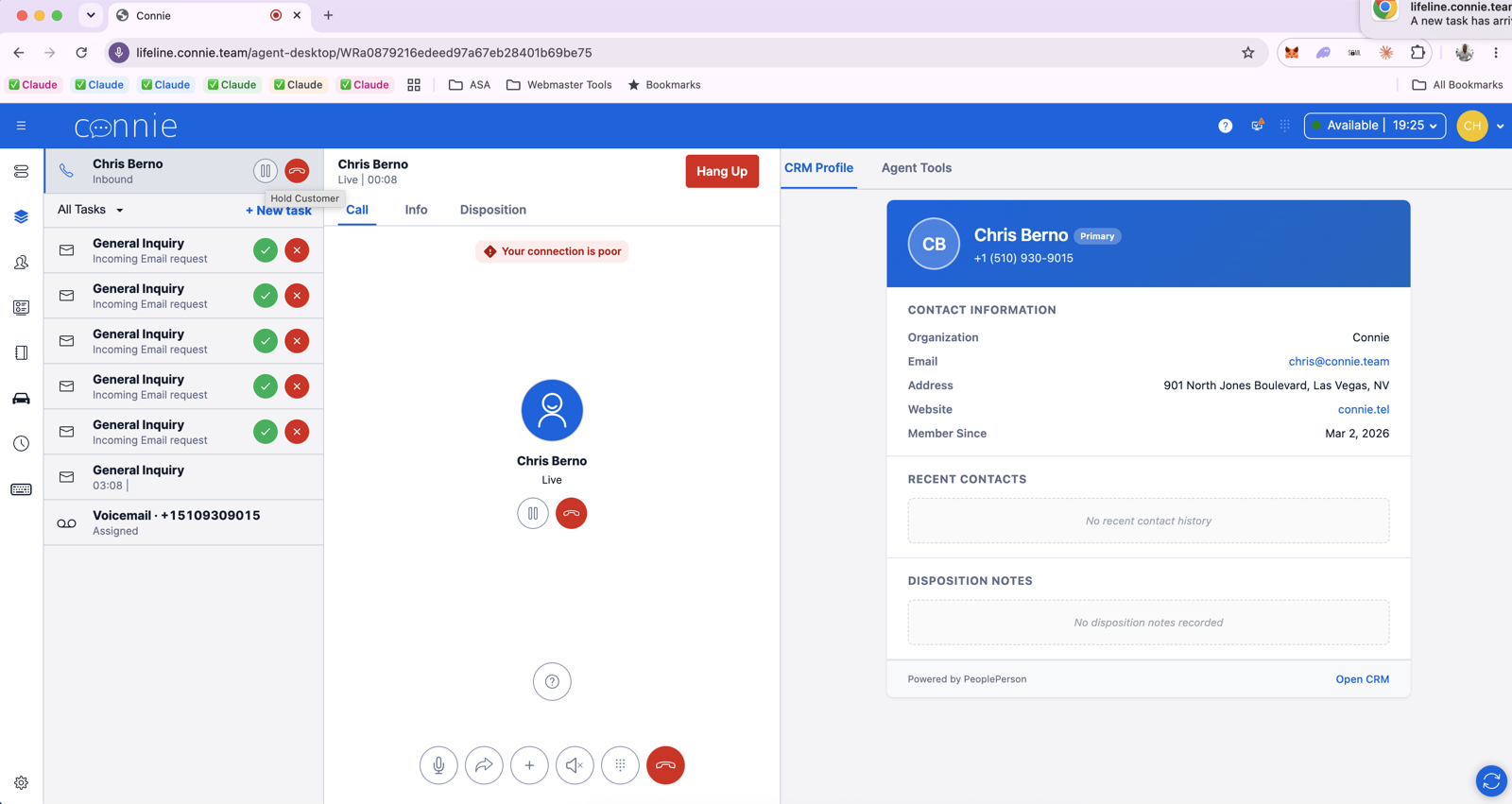
On a call that's already been accepted — only hold and hang up. Once an agent has answered, the caller is in a conversation, not waiting in a queue, and there is nothing to send to voicemail.
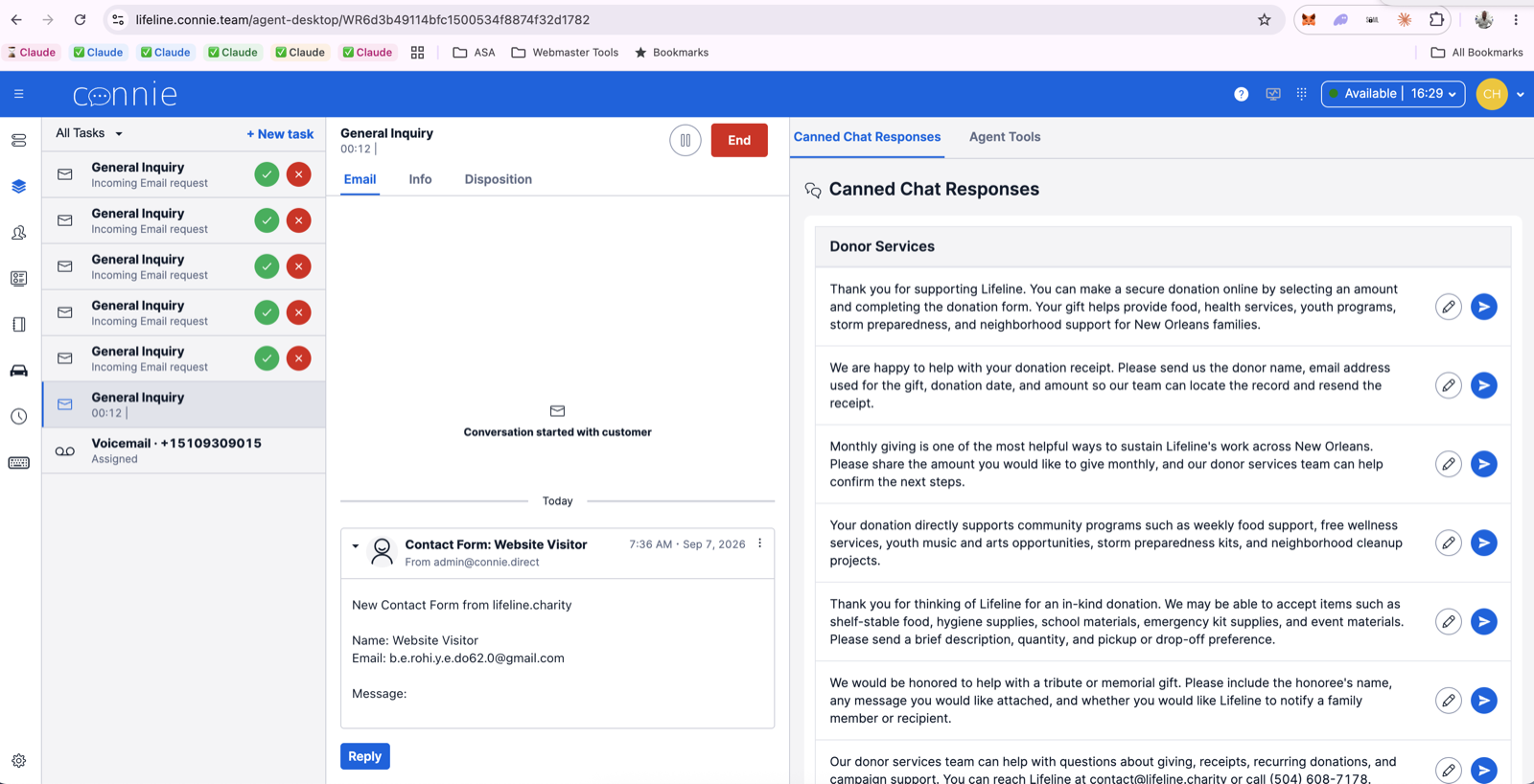
On an email, fax or chat task — there is no live caller on the line to redirect.
Switching it off
It comes off the same way it went on, and the change is immediate — agents see the button disappear on their next ringing call, with no deploy and no downtime:
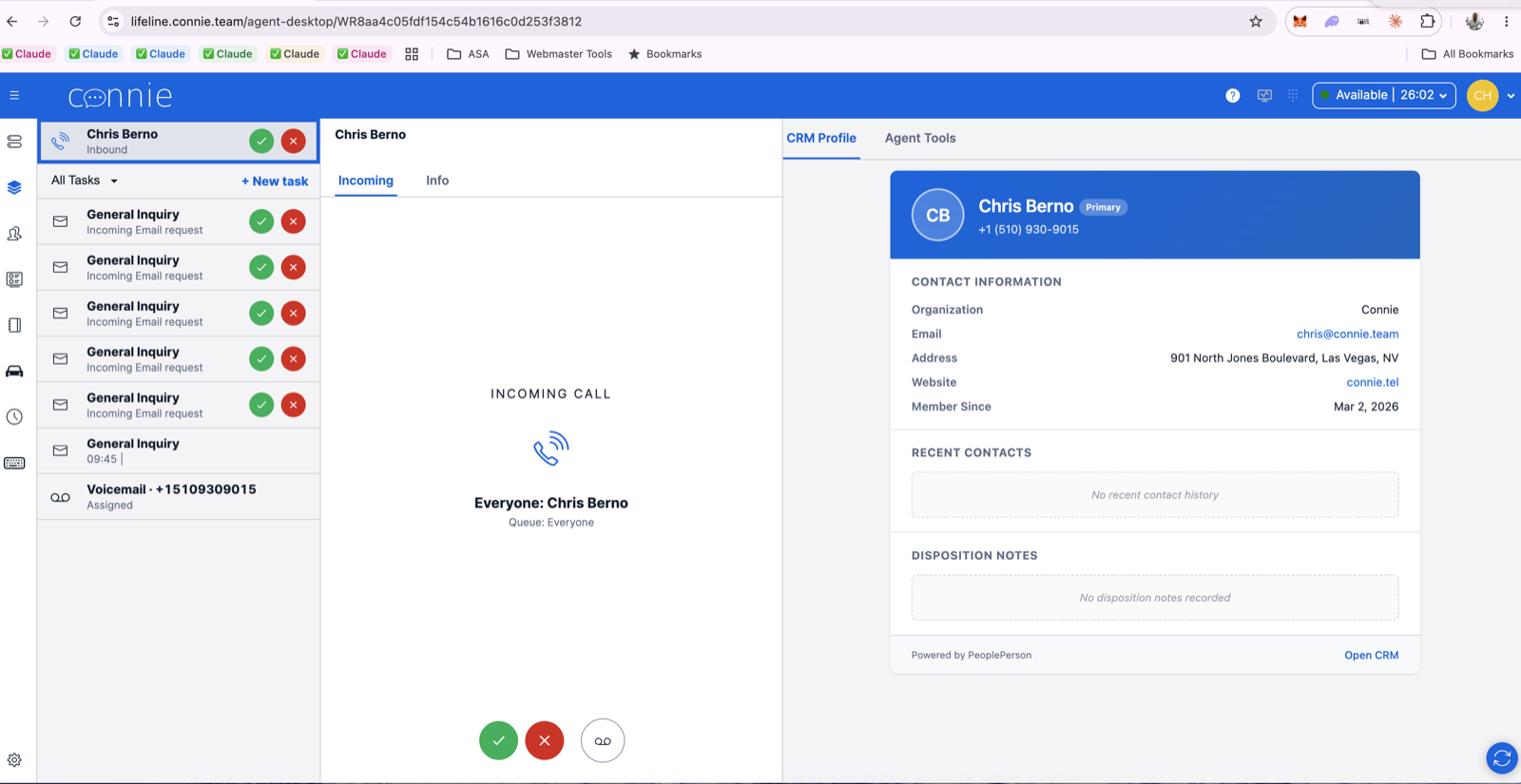
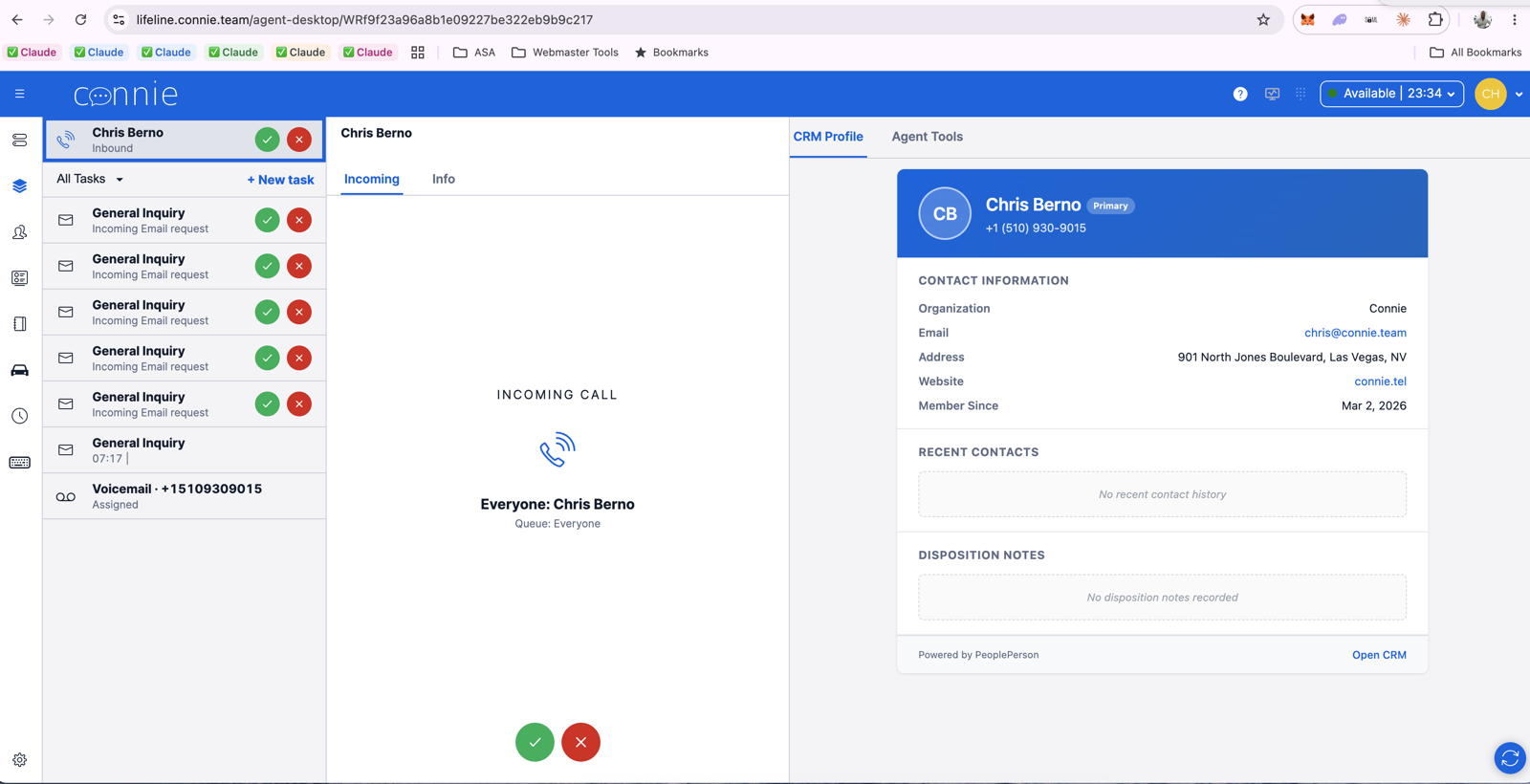
On (left) and off (right). Accept and decline are untouched either way.
Related: Choose Your Voice Experience · Sending a Caller to Voicemail (agent guide) · Get Support